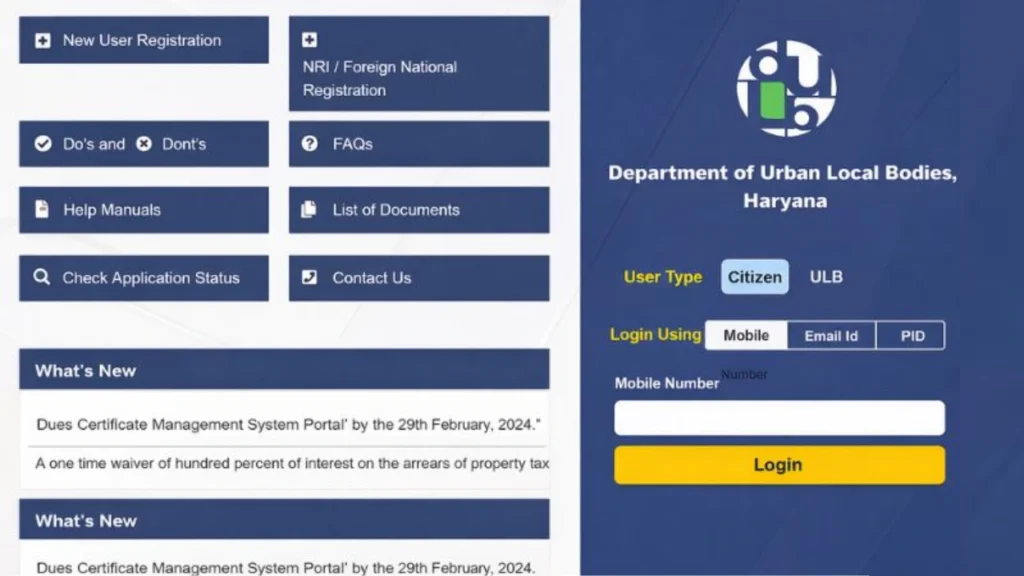
The NDC Haryana Portal (No Dues Certificate Portal) is an online platform designed by the Government of Haryana to manage property-related services and improve urban governance. It serves as a dedicated online platform enabling the citizens of the state to pay their property taxes from the comfort of their homes.
What is NDC Haryana
NDC Haryana refers to the No Dues Certificate issued by the Urban Local Bodies (ULB) department of Haryana. It is an important legal document that confirms a property has no outstanding dues, such as property tax, water charges, sewerage bills, or any other municipal liabilities.
In simple terms, this portal ensures that a property is financially clear and free from any pending payments. This certificate is especially important during property transactions, as it protects buyers from inheriting unpaid dues of the previous owner.
Why, ultimately, was there a need to launch the ‘NDC Haryana’ portal?
There were several reasons behind the launch of the NDC Haryana Portal, such as:
- Messy Property Records: In many places, property data was either incomplete or outdated. Verifying ownership used to be a difficult task.
- Problems with the Manual System: Previously, people had to make repeated rounds of the municipal office.
- Facilitates Smooth Property Transactions: This, in itself, was another significant reason for launching the NDC Haryana Portal. It streamlines the processes involved in buying, selling, or transferring property ownership, thereby helping to complete transactions without legal hurdles or delays.
- Ensures No Pending Dues: This was a primary reason for launching the portal, to ensure that no dues remain pending regarding property tax, water bills, other municipal charges, or any other related transactions.
How to log in to the NDC Haryana Portal
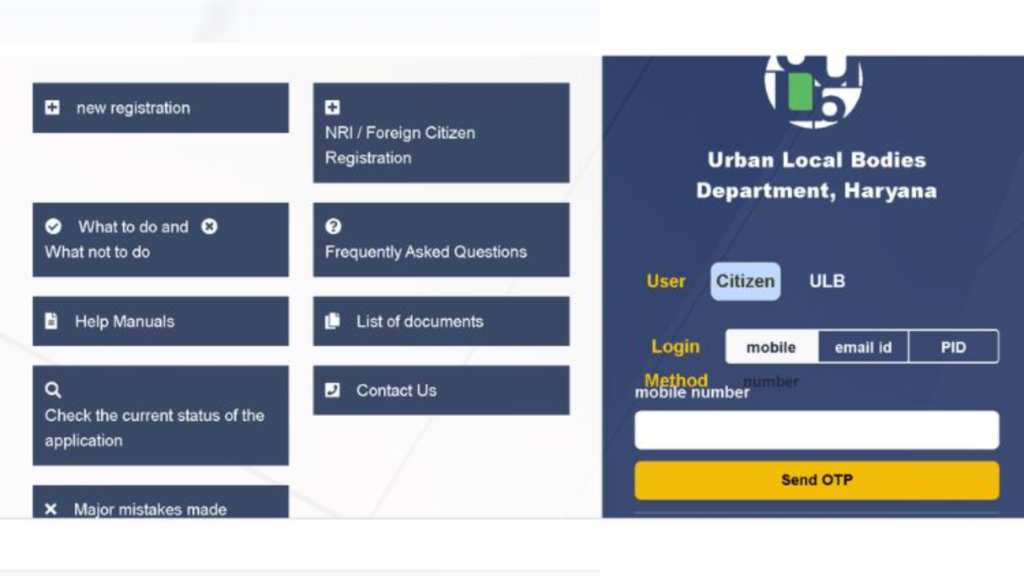
The NDC Haryana login process is simple and designed to provide easy access to property-related services, such as applying for a No Dues Certificate, checking dues, and tracking applications. Users must be registered on the NDC portal Haryana before logging in.
Login Guide
- Step 1: Visit the Official Portal
- Step 2: Click on “Login”
- Step 3: Enter Login Details
- User ID / Registered Mobile Number / Property ID
- Password:
- Step 4: Enter Captcha Click on the Login Button
How to Create a User Account on the NDC Haryana Portal?
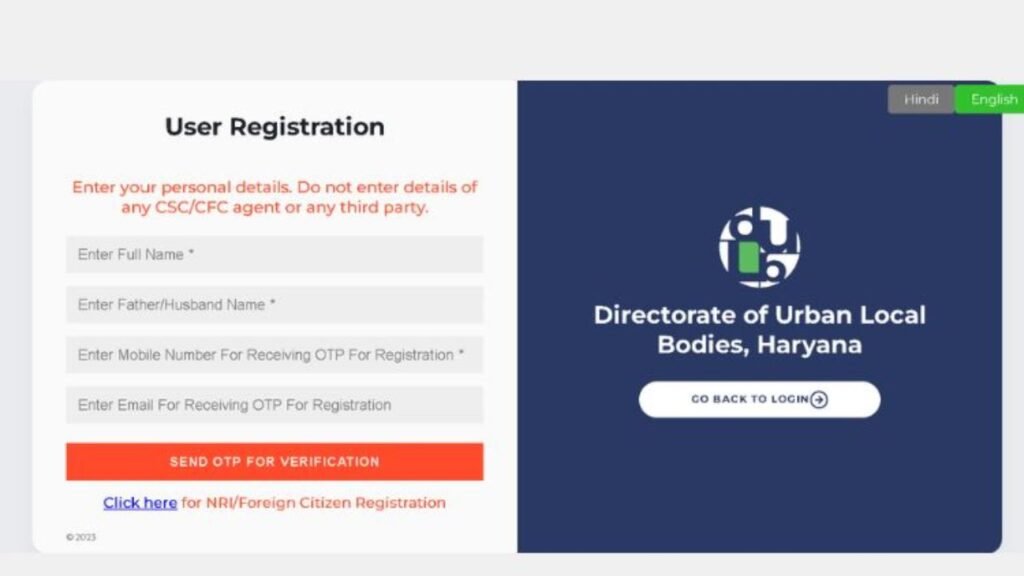
Here is a quick guide to create an account on the NDC Portal
- Step 1: Click on “Register / Sign Up
- Enter details like:
- Name
- Mobile number
- Property details
- Create a password and verify via OTP.
And you get an account on the NDC Haryana Portal.
How to Find Your Property ID (PID) on NDC Haryana Portal?
The Property ID (PID) is a unique identification number assigned to every property in Haryana by the Urban Local Bodies (ULB). It is essential for accessing services on the NDC Haryana portal, including applying for a No Dues Certificate, checking dues, and completing the NDC Haryana login process.
If you don’t know your PID, you can easily find it online through the NDC portal Haryana by following these steps:
Step-by-Step Process to Find Property ID (PID)
Step 1: Visit the Official Portal
Go to the official NDC Haryana portal (ULB Haryana property services website).
Step 2: Click on the ‘Search Property’ Option
On the homepage, look for options like:
- “Search Property”
- “Know Your Property ID”
- “Property Details”
Step 3: Enter Required Details
Provide any of the following information:
- Owner name
- Mobile number
- Property address
- Old property ID (if available)
Step 4: Submit Details
Click on the Search button to proceed.
Step 5: View Property Information
The system will display your property details, including the Property ID (PID).
Step 6: Note or Save PID
Save your PID for future use in:
- NDC Haryana login
- Tax payments
- NDC application tracking
What is a PID in the NDC Haryana Portal?
PID is a unique identification number issued when you registered your property on the NDC Haryana or ULB Haryana portal. This can be understood by drawing an analogy: just as a school assigns roll numbers to a class of 50 students for administrative convenience, similarly, the PID makes it easier for the government to locate your specific property amidst a multitude of hundreds of thousands.
Why is Property ID (PID) Important?
The PID plays a crucial role in the ULB Haryana NDC system:
- Identifies your property uniquely
- Links all tax and dues records
- Required for applying for the Haryana NDC
- Helps in tracking property-related transactions
How to Locate Your PID Number on the NDC Portal?
- Step 1: Open the Official Portal
- Step 2: Then enter your credentials and do “login”
- Step 3: Once you logged in, follow the steps “Search Property” or “Property details.”
- Step 4: Search for your PID.
- Step 4: To locate your PID, select one of the following criteria: Owner Name, House Number, Mobile Number, Colony Name, Locality, City/ULB Name.
- Step 5: See property information
- Step 6: Once you have located your property, you will see your PID, your property tax status, and your ownership information.
Conclusion
The NDC Haryana Portal is a big step forward in making property-related services simpler and digital in the state. Instead of dealing with lengthy paperwork and multiple office visits, people can now access everything online-from getting a No Dues Certificate (NDC) to paying property taxes and checking property records.
With the Haryana NDC system, property owners and buyers can easily confirm whether a property has any pending dues. This adds an extra layer of safety and trust to property transactions.
Features like simple login, quick registration, and easy access to Property ID (PID) details help users complete tasks without unnecessary hassle.
The introduction of the Property ID (PID) is especially useful because it consolidates all property-related information in one place.
Overall, the NDC Haryana Portal makes property management smoother, clearer, and more user-friendly. Whether you’re a buyer, investor, or property owner, it’s a helpful tool for ensuring safe and stress-free property dealings in Haryana.
FAQ’S
How to check Property ID Online?
Ans. To check your Property ID online in Haryana, visit the official ULB Haryana Property Portal. Select your municipality and colony, then search by owner name, mobile number, or directly via the map.
How can I apply for NDC online?
Ans. To apply for a No Dues Certificate (NDC) online in Haryana, register on the ULB Haryana NDC portal by clicking “New User Registration” and verifying your mobile number with an OTP. Once registered, log in, search for your property by PID, select “Apply for NDC,” verify the property details, and submit.
Can I pay property tax online through the NDC Haryana portal?
Ans. Yes, you can pay property tax through the NDC Haryana portal.
What are the benefits of using NDC portal Haryana?
Ans. The NDC portal Haryana offers: Online application and tracking, Faster processing, Transparency in property records, and Reduced need for physical visits.
Why is NDC important for homebuyers?
Ans. A No Dues Certificate (NDC), also known as a No Objection Certificate (NOC) or clearance certificate, is a crucial document for homebuyers.
What is NDC in Haryana?
Ans. NDC ‘No Dues Certificate’ is an official document issued by the government. It serves as proof that you have no outstanding tax liabilities owed to the government.